
In case you missed it: Tips from our digital marketing experts
When asked about what skills are most needed by micro social enterprises, our Learning Community participants told us they’re struggling with “marketing, promotion, or getting the word out” and want more practical guidance on managing websites, social media, and digital tools. One of the number one questions WASEC gets is about SEO – showing just how much people want help finding and engaging their audiences online.
In this Learning Community Session 4, our guest speakers shared practical tips on how to increase traffic to your website (and keep people there), and how to market your business more effectively using digital tools.
About WASEC’s Peer Learning and Support (PL&S) Community for Micro Social Enterprise:
Commissioned by Social Enterprise Australia as part of the Australian Government’s Social Enterprise Development Initiative (SEDI), these learning communities help build sector capability to grow social impact. WASEC’s learning community is focused on supporting micro social enterprises in Western Australia with skills and knowledge to sustain themselves and thrive.
Explore WASEC’s online workshops and resources for micro enterprises across Western Australia on our website.
Scroll down to find:
Watch the recording of the workshop
Please note the video starts a few minutes in: The session started with Marcus asking participants if they measure anything on their websites and what their most important KPIs are.
Part 1: Website and SEO with Marcus Farias

Marcus Farias
Marcus is a digital marketing specialist, with experience in marketing, data analytics, SEO automation, currently working at SBS.
Download the full presentation:
Step 1: Measure your online impact.
If you don’t have a baseline measurement, you won’t understand success or change through any new marketing efforts. We should start off getting an understanding of our KPIs (what we want to achieve) and where we are currently at with our website metrics. It’s better to TRACK, then ACT. Don’t act then track – it may waste your time or put focus on areas that don’t increase customers.
“TRACK, then ACT”
2. Start with Google Analytics and get everything set up
Set up your google business profile and fill out all the detail you can.
Through Google Analytics you can measure your customer journey to figure out where they drop off. For example, is it at the home page or the sign up page? That helps you to figure out what part of your website you should focus on first.
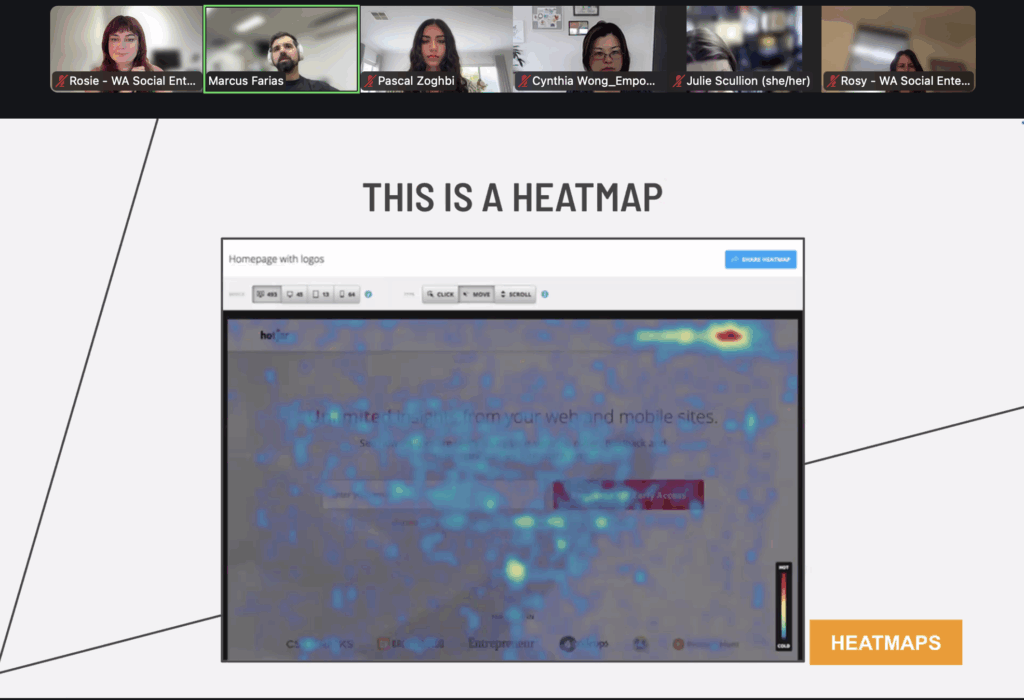
3. Understand User Interaction with Heat Maps
HotJar (free) has a heat map tool to understand user interaction with website elements. With it you can see where people put their cursor on your website, and which sections of your website generate more interaction. With this information you can know where to move around words or buttons. It also has a ‘feedback’pop up for free where viewers can rate your website. It’s a good way to collect user feedback.
4. Setting Up KPIs and Tracking Conversions
Marcus discusses the importance of setting up KPIs to track the performance of digital marketing strategies.
Your KPI’s may include paid media return on investment / ROI, technical SEO performance, conversion per channel, organic search volume.
“If you can’t measure it, you can’t improve it”
5. Check your ranking on Google
Use the Google Search Console Tool – free. It helps rank your performance against similar companies, shows your placing on google results, and gives you a keywords report: showing what keywords work best or worst to get customers to you.
Key words need to be directly related to your product or service. Make sure your key words are aligned with your business throughout your site and socials.
“Keep using the keywords that work best“
6. Easily audit your website
Marcus suggests using tools like SEMrush (which has a free trial) for keyword planning and site audits to improve website performance. It gives you a good site audit, telling you what to change on your websites pages to improve – helping with keyword planning, competitor analysis, paid search optimisation, site audit, analytics. It tells you the easiest keywords to target.
It also has a competitor mapping analysis, which is helpful to find out what other businesses are operating in your area.
“Hot tip: do the free trial, extract all the data, then cancel the trial to get this data for free. 😉“
7. Quarterly Goals Template
Write out what are your goals over each quarter and fill out your yearly plan. This keeps you focused, and makes sure you don’t act blind.
Example of Quarterly Goals:
Q1 Strategy Implementation, Q2 Increase Awareness, Q3 Lead Generation, Q4 Conversion Optimisation.
Try the template below:
8. Persona mapping exercise
Understand the motivations, desired outcomes of your customer.
Everything starts with understanding your persona.
Try out a persona mapping exercise to mock up what your customer wants to achieve, demographics, challenges, goals, and what can you offer them? Make sure you understand the positive outcomes to their problem, and that your online marking makes your solution clear. Refine your elevator pitch through this exercise.
“Mass marketing is turning into mass niche”
Try the template activity below:
You can grab a customer persona template from this link. [https://www.qualtrics.com/en-au/experience-management/customer/customer-profile/]
Part 2: Harnessing your Social Media Platforms with Pascal Zoghbi

Pascal Zoghbi
Pascal Zoghbi, a social media management expert, and the director of Vividly Social, a creative agency helping small businesses and individuals stand out online.
Download the full presentation:
1. Choose your platform
The audiences between Facebook and Instagram are different and require different content style.
Instagram audience: 18-35 years, looking for an entertainment feel
Facebook audience: 35 years+, looking for a community feel
LinkedIn: Professional audience, looking for connections and are hooked in by personal stories, videos, pictures, mission statements.
2. Match your tool with your purpose
Reels: use for reach and discovery (find new audiences).
Carousels: Use to build connections and educate your audience.
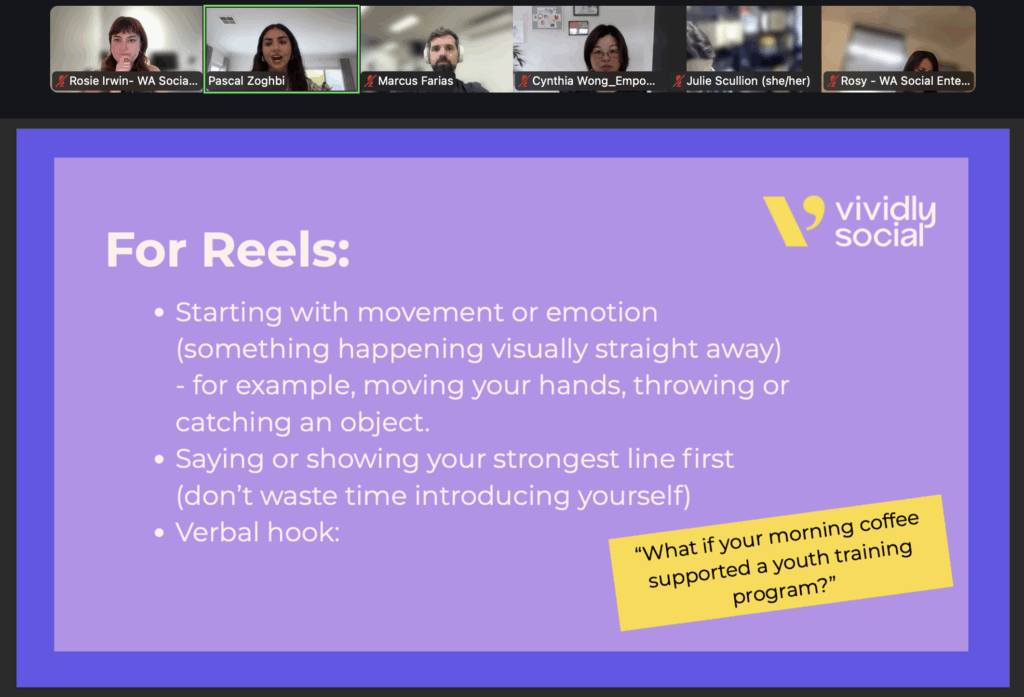
3. Tips for a good reel
- Start strong: Always start reels with a strong hook within the first few seconds.
- Start with movement, action, or something eye-catching. The weirder the better. start with movement / emotion / the why or, most important idea first.
- Don’t waste time introducing yourself, your audience doesn’t need to know.
“Start with your why / impact statement… then introduce yourself after”
4. Tips for a good Carousel
- The first slide is the hook; think of it like a billboard
- Use the word ‘you’ and mention it throughout
- Carousels are currently favoured over reels.
5. Tips for LinkedIn
- It’s a formal way to show what you’ve been up to
- Comments and engagement matter so much more – reply to Linkedin comments and engage with ideas.
- Tag collaborators in posts and comments.
6. Meta Updates
- SEO is now on instagram, so you need to use keywords in your posts and captions. Hint: Instead of writing a random caption, think “What would someone type in or Google if they were looking for the content I’m posting?”
- Longer captions are better now, so add a summary of the reel or carousel in your post.
- Stop putting a link in the caption, use Linktree (to link in your bio) or ManyChat for the users to have access to your link.
- Can duplicate Instagram to Facebook to simplify content creation and tailor to the audience as needed
“What would someone type in or Google if they were looking for the content I’m posting?”
Found this helpful? Join our next online workshop or learning community session.